
XTRA Tutorials
 
  • Getting Started
    • Installing XTRA
    • License Activation
    • Installing Plugins
    • Importing Demo Content
    • Assigning Home Page
    • Updating XTRA
    • Child Theme
  • Page Builder
    • Create a New Page
    • Elements Overview
    • List of Elements
    • General Settings
    • Header Settings
    • SEO Settings
  • Theme Options
    • Options Overview
    • General
      • Layout
      • Colors & Styles
      • Share Icons
      • SEO Meta Tags
      • Loading
      • Page 404
      • Custom Codes
      • White Label
      • Advanced
    • Typography
    • Header
      • Logo
      • Social Icons
      • Header
      • Sticky Header
      • Mobile Header
      • Fixed Side
      • Title and Breadcrumbs
    • Footer
      • Footer Top Bar
      • Footer Widgets
      • Footer Bottom Bar
      • Footer More
    • Blog
      • Blog Settings
      • Blog Styling
      • Blog Single Settings
      • Blog Single Styling
      • Search
    • Portfolio
      • Portfolio Slug & Title
      • Portfolio Settings
      • Portfolio Styling
      • Portfolio Single Settings
    • WooCommerce Pro
      • Products Settings
      • Products Styling
      • Product Settings
      • Product Styling
    • Site Identity
    • Menus
    • Widgets
    • Homepage Settings
    • WooCommerce
    • Additional CSS
    • Backup / Restore
  • Edit Guide
  • How to
  • Developer
Buy Theme
Changelog
XTRA WordPress Theme TutorialsYou arrived at the right place, How we can help you?
XTRA Tutorials
  • Getting Started
    • Installing XTRA
    • License Activation
    • Installing Plugins
    • Importing Demo Content
    • Assigning Home Page
    • Updating XTRA
    • Child Theme
  • Page Builder
    • Create a New Page
    • Elements Overview
    • List of Elements
    • General Settings
    • Header Settings
    • SEO Settings
  • Theme Options
    • Options Overview
    • General
      • Layout
      • Colors & Styles
      • Share Icons
      • SEO Meta Tags
      • Loading
      • Page 404
      • Custom Codes
      • White Label
      • Advanced
    • Typography
    • Header
      • Logo
      • Social Icons
      • Header
      • Sticky Header
      • Mobile Header
      • Fixed Side
      • Title and Breadcrumbs
    • Footer
      • Footer Top Bar
      • Footer Widgets
      • Footer Bottom Bar
      • Footer More
    • Blog
      • Blog Settings
      • Blog Styling
      • Blog Single Settings
      • Blog Single Styling
      • Search
    • Portfolio
      • Portfolio Slug & Title
      • Portfolio Settings
      • Portfolio Styling
      • Portfolio Single Settings
    • WooCommerce Pro
      • Products Settings
      • Products Styling
      • Product Settings
      • Product Styling
    • Site Identity
    • Menus
    • Widgets
    • Homepage Settings
    • WooCommerce
    • Additional CSS
    • Backup / Restore
  • Edit Guide
  • How to
  • Developer

How to Adjust Your Website’s Width Size: A Step-by-Step Guide?

Home Latest Posts How to

Description and Steps

Step 1
XTRA
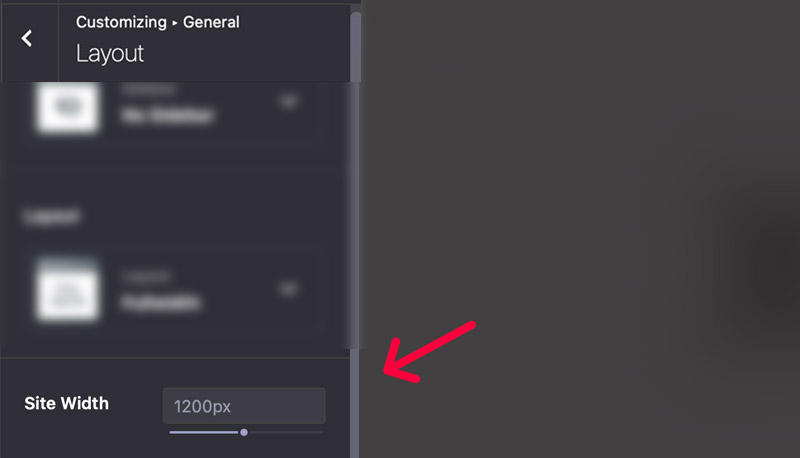
Site width option

Go to Theme Options > General > Layout you can find site width option, you can set number in pixel or percentage.

Site width
Tips

You may want to know …

  • Size bigger than screen size  – If you set site width size bigger than your screen size then, it will automatically recalculate 90% of your size for max page width size.

How to

how tolayoutsizewidth

FacebookXDeliciousLinkedinWhatsappTelegramEmailPrintShortlink
  • PreviousHow to Access the Account and Login Page for Old Users?

  • NextHow to Add Custom Search Engine Schema to Your Website

Comments are disabled

XTRA WordPress Theme

XTRA Popular WordPress Theme 2026

Recommended for you …

How to fix Codevz plus plugin is not installed?

17 June 2024

How to Install the XTRA WordPress Theme?

24 June 2024

How to Use Google Fonts Not Listed in Your Theme’s Font Library?

13 June 2024

How to Create a Transparent Header on the Home Page Only?

20 June 2024

How to Change the Color of a Single Menu Item: A Step-by-Step Guide?

28 June 2024

How to Fix a Corrupted functions.php Error File in Your WordPress Theme?

24 June 2024

How to Enable Maintenance Mode and Coming Soon Page?

11 June 2024

How to Disable Auto RTL Numbers on Your Website?

17 June 2024
If you can't find your answer on this documentation
Submit a ticketSubmit a ticket
© 2026 XTRA WordPress theme documentation.
FacebookInstagramYoutubeDribbble
This website uses cookies to improve user experience.Accept and close
Buy and Download XTRA Theme Purchase Theme Xtra Theme Documentation Documentation Xtra Theme Videos Tutorials Video Tutorials Xtra Theme Support Center Support center Xtra Theme Showcase Showcase